Pure Paste: Just paste the text, not the formatting

I’ve been using macOS for years, and I have yet to discover a single scenario where I actually wanted to paste rich text.
Instead, several times a week, I paste some text and see unwanted fonts, colors, links, or other formatting. I then undo the paste, open Neovim, paste the text there to clean it, copy it again, and finally paste it where I wanted it in the first place.
Every time I do this, I wonder why macOS doesn’t have a global setting to change this default behavior.
I know that macOS has a Paste and Match Style command. Some people even remap ⌘V to use it instead of the normal Paste command. However, it is not available in every app. More importantly, replacing the normal Paste command would break pasting anything other than text. Images would not be pasted at all, while files would be pasted only as file names. I still wanted ⌘V to work normally for those.
Then I stumbled upon Pure Paste, an app that promised to remove text formatting automatically without getting in the way of everything else.
Trying Pure Paste
Once installed and launched, Pure Paste sits quietly in the menu bar.
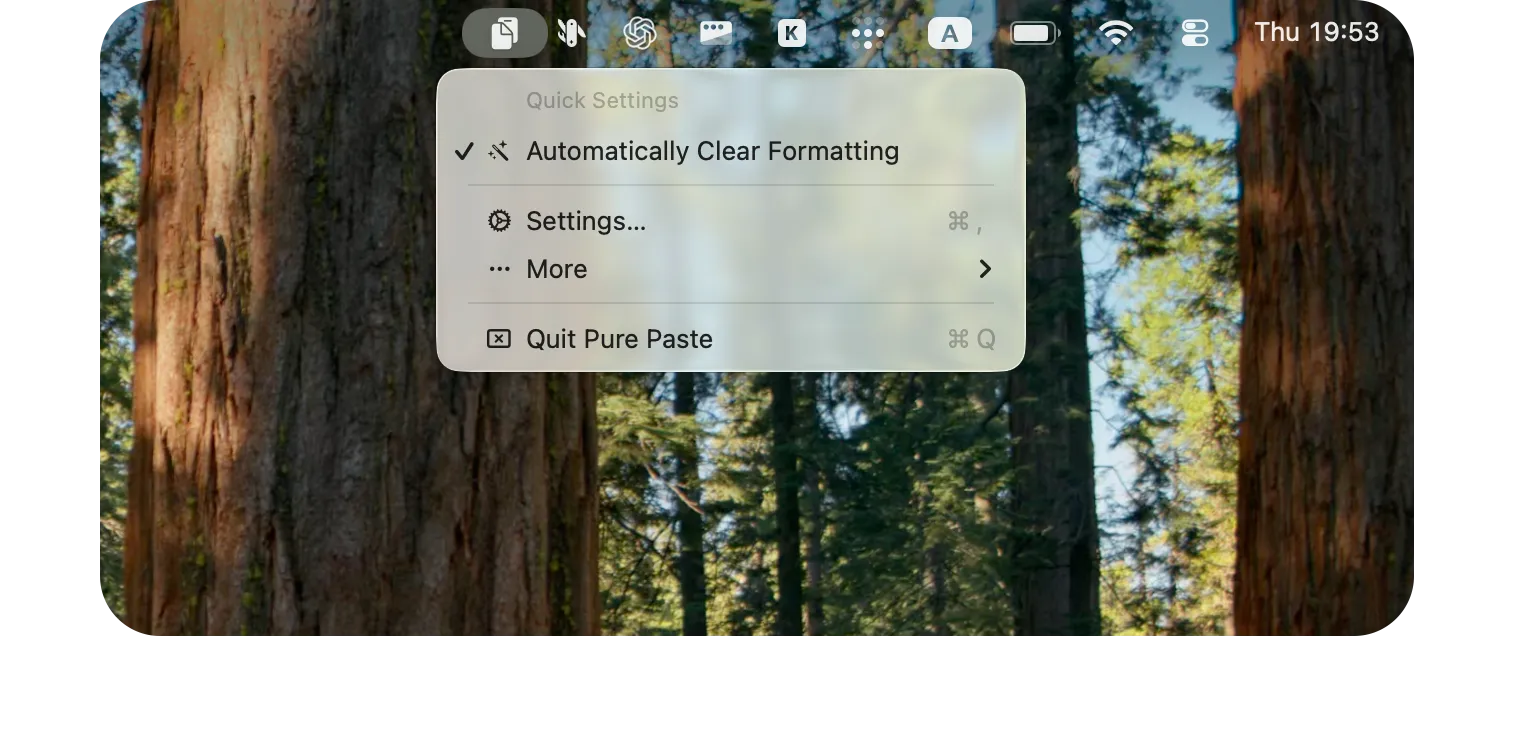
Whenever you copy formatted text, the app cleans it before you paste it. You can keep using the normal ⌘V shortcut without thinking about which kind of paste you need.
I have been using it for a week and have not noticed any issues. It works so quietly that one day I might forget I even have it installed.
Pure Paste can also preserve links, remove tracking parameters from URLs, remove invisible characters, and normalize quotes, newlines, and lists. My favorite is converting copied bullet lists into Markdown-style lists, something I would normally do manually.
If you need the original formatting, you can exclude the app you are copying from or turn off automatic cleaning before you copy.
Final Thoughts
I had this annoyance for years, and €4 solved it for good. If you often have to remove formatting from copied text, Pure Paste is easy to recommend.
You can learn more about Pure Paste on the developer’s website or get it from the Mac App Store.