Playing Quake III Arena on a modern Mac
I played a lot of Quake II and Quake III Arena in my teenage years. Recently, I met a friend and we remembered how much we used to play it and how fun it would be to relive those moments. So I decided to get Quake III running again and practise before we eventually play together.
Quake III was released in 1999 and even had a Mac version at the time. However, that old build was made for systems that modern macOS no longer supports.
Thankfully, the Quake III source code was released in 2005, which made projects like ioquake3 possible. ioquake3 is a free and open-source game engine based on the original Quake III source code. It lets you play the game on modern systems, including the current version of macOS.
Getting Quake III running on a Mac
You need two things to play Quake III: a modern version of the engine and the original game data.
First, download the macOS version of ioquake3 from its official website and move the app into the /Applications folder.
The open-source engine doesn’t include the maps, models, textures, sounds, and other files that make up the full game. You still need to buy those files or recover them from an old CD. I once had Quake III on CD-ROM, but I lost it many years ago, so I bought another copy for €5 from GOG.com. I’m not affiliated with GOG.
How easy it is to get the game data depends on where you bought it. If you’re lucky, you will receive a ZIP archive. In my case, GOG provided Quake III as a Windows executable installer, which I couldn’t simply open on my Mac.
I had already used Keka for an earlier article, so I knew it could extract some .exe files. Unfortunately, it didn’t work with this GOG installer.
I was happy that I didn’t have to install Windows in a virtual machine just to extract one archive. It turned out that a tool called innoextract could unpack it. I installed it through Homebrew:
brew install innoextractI then extracted the game files with the following command:
innoextract \
  --output-dir "$HOME/Downloads/quake3-extracted" \
  "$HOME/Downloads/setup_quake3_2.0.0.2.exe"
Finally, copy everything from the extracted app/baseq3 folder into ~/Library/Application Support/Quake3/baseq3. Create the destination folder if it doesn’t already exist.
After that, you’re ready to launch the game.
Configuring the game
Back in the day, it was common to have your own custom Quake config and tweak as much as possible, sometimes until the game barely looked like Quake anymore.
This time, I changed only three things. You can open the console with Shift–Escape and enter these commands:
- Switched item models from 3D to simple with
/cg_simpleItems 1. - Turned off automatic weapon switching with
/cg_autoswitch 0. - Increased the field of view to 100 with
/cg_fov 100.
The game worked great with its default video settings. However, the Video Settings menu showed a resolution of 640×480 even though the game initially filled the screen. When I changed the texture quality, ioquake3 restarted its video system and also applied the selected resolution. The game shrank and shifted to the left, leaving a large part of the screen unused.
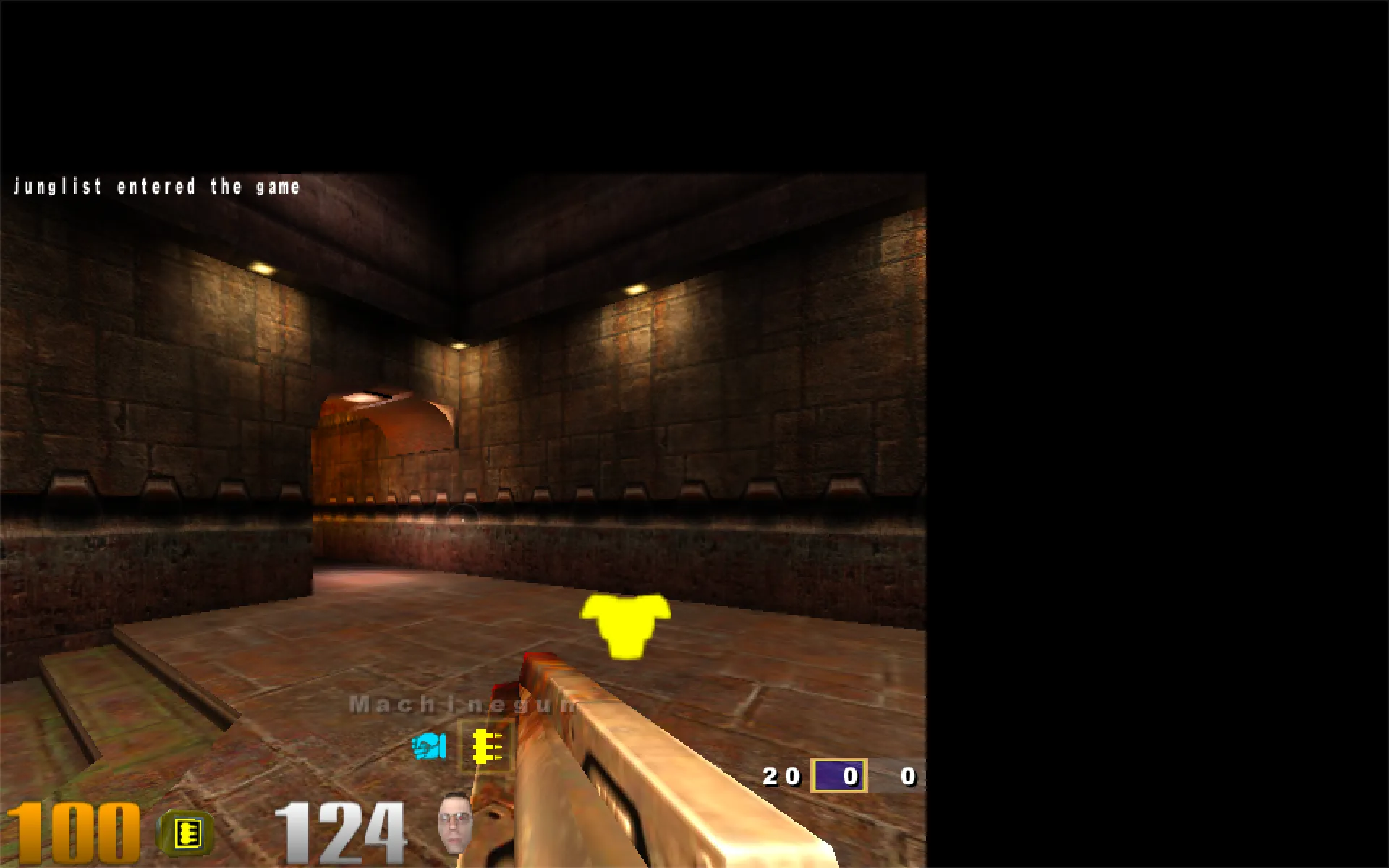
To return to the desktop resolution, open the console and run:
/r_mode -2
/vid_restart
The r_mode -2 setting tells ioquake3 to use the desktop resolution reported by macOS. On my Retina MacBook, that was the logical resolution of 1512×982 rather than the physical 3024×1964 resolution of the display. I tried the full physical resolution too, and the frame rate was almost the same, but the interface and console became uncomfortably small. The logical desktop resolution was more practical.
This is a small annoyance that you need to fix every time you change something through the Video Settings menu.
How it runs on my Macs
I tested the game on two MacBooks. To get repeatable results, I enabled timed demo mode with /timedemo 1, ran one of the included demo files from the Demos menu, and checked the result in the console after it finished.
| Mac | Display and resolution | Result |
|---|---|---|
| MacBook Pro with M5 Pro | Built-in display | 140 FPS |
| MacBook Pro with M5 Pro | External 4K display | 127 FPS |
| MacBook Air with M1 | Built-in display | 47 FPS |
| MacBook Air with M1 | External 4K display | 41 FPS |
All tests used the highest graphics settings. These aren’t exhaustive benchmarks, but they show roughly what you can expect. During normal play on the M5 Pro, I didn’t notice any lag or stability issues, and I never heard the fan spin up. That’s about what you would expect when running a game from 1999 on modern hardware.
Quake III was still kinda playable on the M1 Air, but the experience was much smoother on the M5 Pro.
Bonus: trying an HD texture pack
Just as I was about to publish this article, I discovered that there are HD texture packs for Quake III. Naturally, I had to try one before calling the article finished.
There are several texture packs available, but I didn’t want to compare all of them. I tried the one available from the ioquake3 website.
Installing it is simple. Extract the downloaded .pk3 file and place it inside the baseq3 directory. On macOS, this is usually located at ~/Library/Application Support/Quake3/baseq3. Launch the game again, and it will load the new textures automatically.
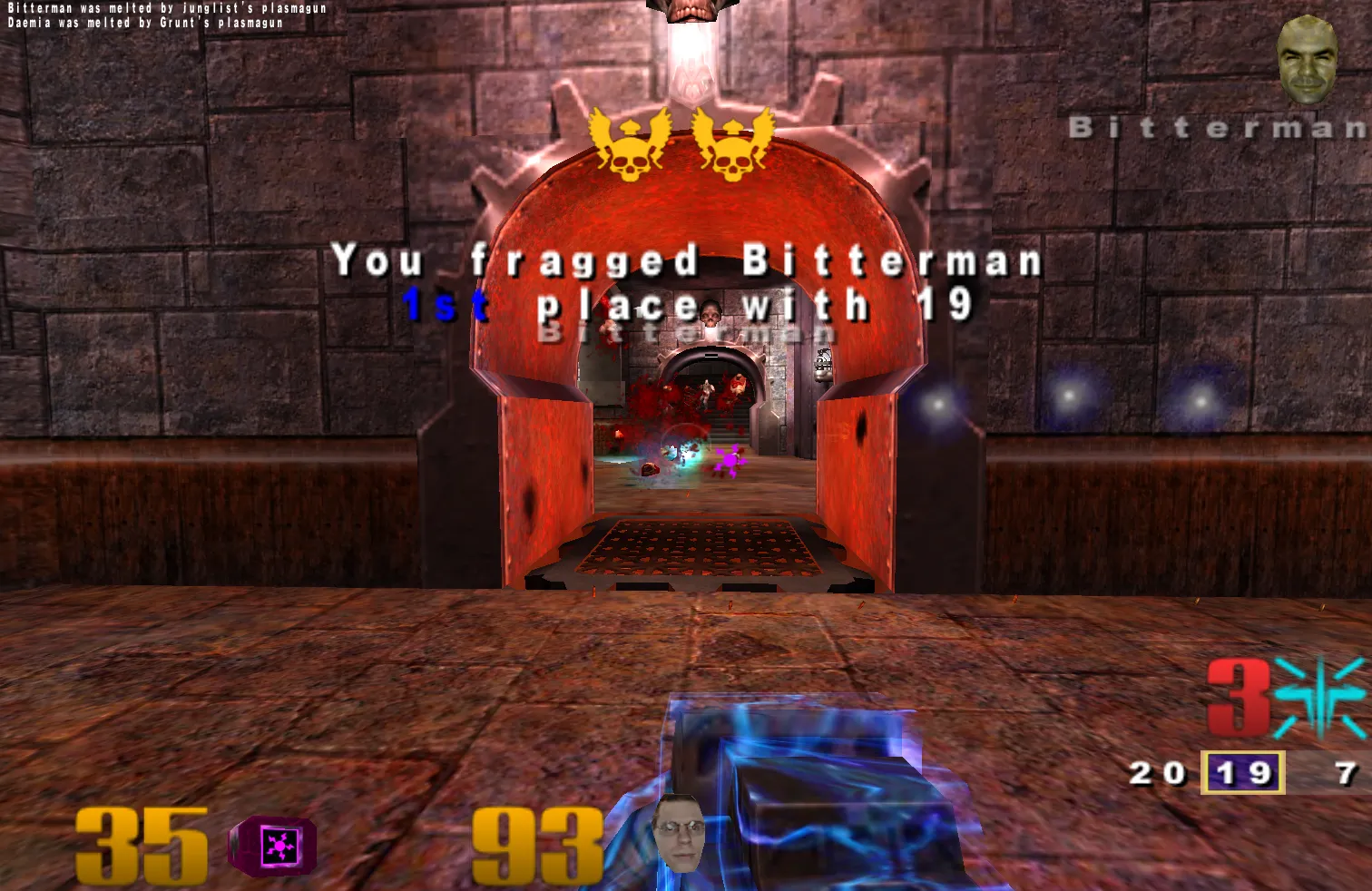
I played a few maps with that texture pack, and to be honest, I don’t know if it was worth it. The main issue I see is that it doesn’t just upscale the original textures, but also changes them a bit. I personally find the original textures nicer, even though they aren’t as clear as the HD textures.
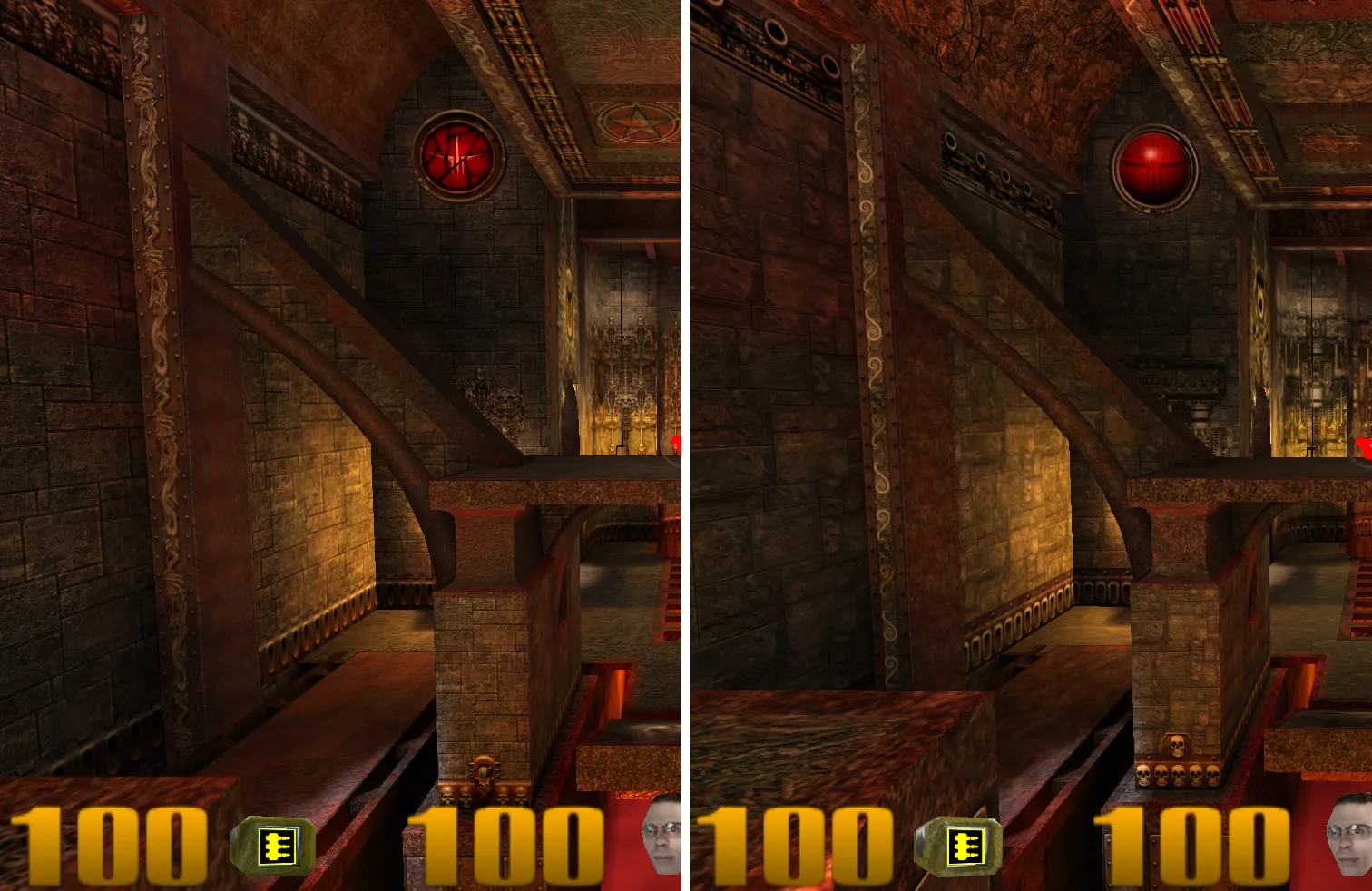
The funny thing is that many players used to do the opposite. They intentionally lowered the texture quality with settings such as /r_picmip 5 or even /r_picmip 10 and enabled vertex lighting with /r_vertexLight 1. This made the game look more like Roblox than an FPS from the early 2000s, but it also made enemies easier to see.
Does Quake III still hold up?
Returning to Quake III felt a little like returning to the neighborhood where I grew up. You go for a walk and every tree, every corner, and every building feels familiar. You may not have been there for years, but somehow you still know what is waiting around the corner.
I had the same feeling when playing the old Quake III maps. The corridors, halls, item locations, and sound cues were all familiar.
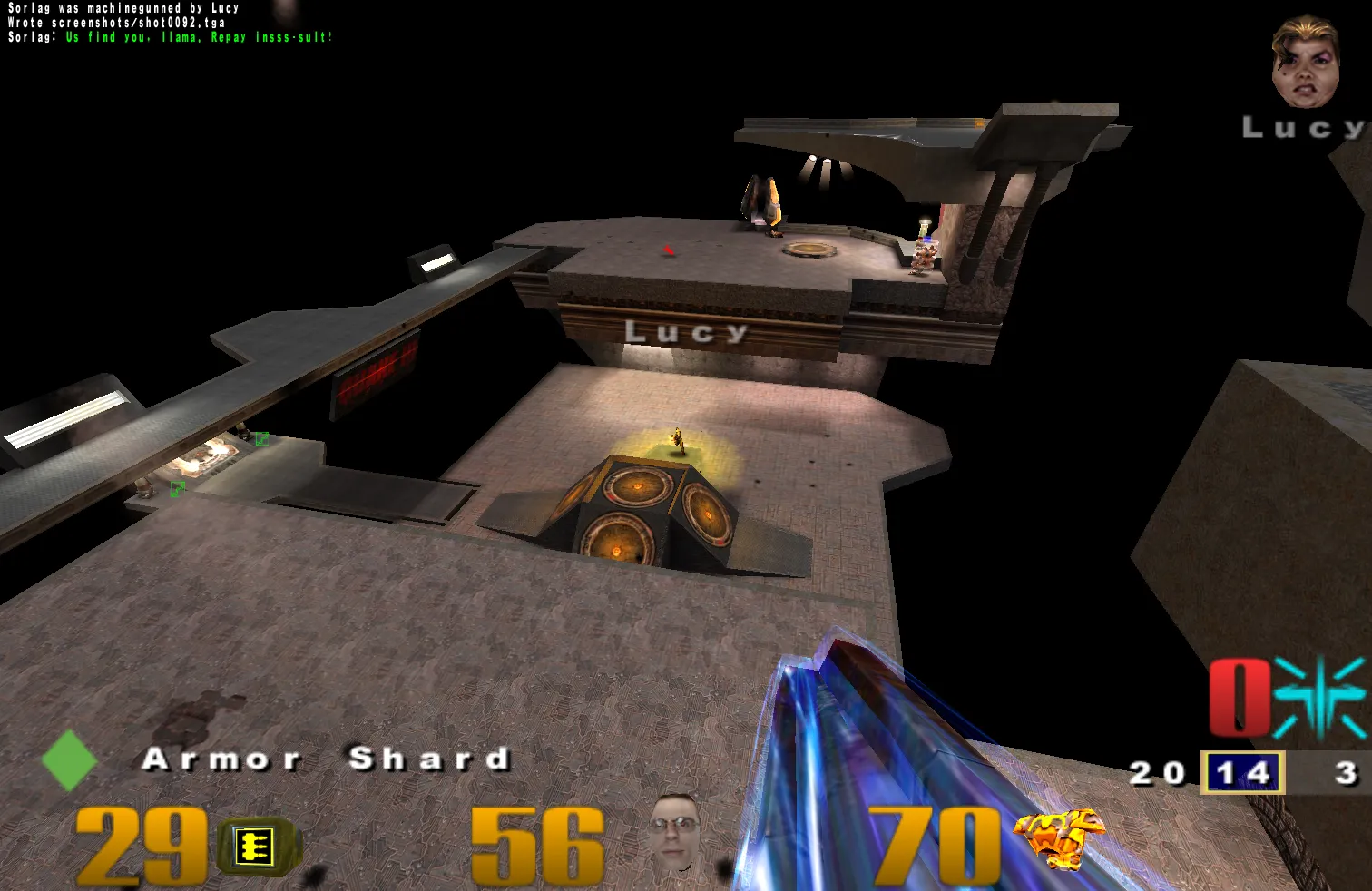
Even though Quake III was released in 1999, it doesn’t feel that old to me. Compared with Doom II, which really feels like a game from another era, Quake III has aged surprisingly well.
Resolution handling is awkward on a modern Retina display, and getting the GOG version running took more effort than I expected. Once everything was set up, though, ioquake3 was stable and the game was just as fast and direct as I remembered.
If you like fast, arcade-style first-person shooters, I highly recommend giving it a try. I still haven’t played with my friend, but now the game is ready for whenever we finally find the time.